How to Contact Binomo Support

Why Using Binomo VIP Account?

Complete Binomo Trading Guide for Beginners

Frequently Asked Questions of Verification in Binomo

Binomo Affiliate Program
Binomo affiliate program
Binomo affiliate program allows you to attract traders to the platform and make a profit based on their trading activity.
Our program has many advanta...

Binomo Multilingual Support
Multilingual Support
As an international publication representing an international market, we aim to reach all of our clients worldwide. Being proficient in many languages tears d...
Complete Binomo Trading Guide for Beginners
This article will show you how to open a trade in Binomo for beginners after registering an account.
Frequently Asked Questions of Verification in Binomo
General Questions
What is verification? Why do I need it?
Verification is a confirmation of your identity and means of payment (for example, bank cards). User verification ...

How many Assets in Binomo for Trading
Assets
You earn on the platform on changes in the price of assets.
There are 42 assets on the platform that you can earn on. And when you have GOLD or VIP status, there are ev...

How to Trade on CFD in Binomo
What is CFD?
CFD is an over-the-counter financial instrument. This also means that during the trading process, the traders need not buy or sell the asset itself. They just need...
Why Using Binomo VIP Account?
Why Binomo VIP account?
Being in VIP status, you get the right to individual service and training. Trader can get personal discounts, bonuses, increasing the percentage of profit...

The Process of Binomo Account Verification
Binomo account verification requires you to complete all the following steps.
Verify your address of residence.
Verify that you are the legal owner of the credit or debit c...

How to Participate Binomo Tournaments
The advantage of Binomo are tournaments where pit traders compete with each other, receiving their share of prize money, and such tournaments help to assess their trading talents.

How to Contact Binomo Support
How can i contact to Binomo.com support? How can i get assistance. This article helps you find answer your question how quickly ger support from Binomo trading platform.

Binomo Bonus on Deposit - Up to 70%
Binomo Bonus Deposit
There are many bonuses from trading platform. Today in the market the issue of bonuses Binomo and other trading platforms, we see a very paradoxical situatio...

How to Close & Block Binomo Account?
How to Close Binomo Account?
To begin with, there can be different reasons why you decided to close Binomo account and maybe you want to close a Binomo account because you got ti...
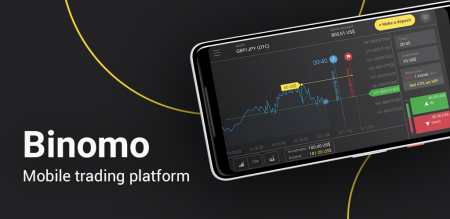
How to Use Binomo App on Android Phones
Binomo Google Play (Android)
To start with, you need a Binomo Android app in order to trade on your Android device or mobile phone. It is really comfortable to use your phone to ...

How to Use Binomo App on iPhone/iPad
Binomo App Store (iOS)
To begin with, you need a Binomo IOS app (from iTunes or App Store) in order to trade on your IOS device or iPhone. It is really comfortable to use your ph...

How Many Account Types in Binomo
Binomo Account Types
This article about types of accounts in Binomo trading platform. What do different types of accounts give? How to switch or upgrade an account?
Free
...

How to Log in Binomo on the Web and Mobile Apps?
How to login Binomo?
Go to mobile Binomo App or Website.
Click on “Sign In”.
Click on “Login”.
Enter your email and password.
Click on “Sign In” yellow button.
Clic...

How to Open a Binomo Account on the Web and Mobile Apps?
Registration on Binomo with email
In order to ensure the legality and security of the company’s services, access to trade on this site, you need to have a real e-mail, as the com...

The Benefits of Gold and VIP Account in Binomo
Cashback
Cashback - compensation for unprofitable trading for one trading week. It is credited automatically on Mondays for the previous week (Monday through Sunday inclusive). F...

Frequently Asked Questions about Binomo ACCOUNT
Sign-Up Binomo Form
Sign-up form
It is quite simple. Go to the main page in the upper right corner you will see a yellow “Log in” button. Click on it and the tab with sign-...

Withdrawing Money to an Electronic Wallet/Cryptocurrency/Nameless Card in Binomo
ADV Cash
1.Click on the "Deposit" button in the right top corner.
2. Choose “Withdrawal funds”, enter the amount and choose the withdrawal method. Click on the “Request withdr...

Withdrawing Money to a Bank Card in Binomo
Withdrawing funds to a bank card
To request a withdrawal of funds, go to "Cashier" ("Balance" for mobile application users) to the "Withdraw funds" tab.
Enter the amount you w...

How to Withdraw Money from Binomo
Brazil (Bank Transfer)
1. Сlick on the “Deposit” button in the right top corner.
2. Choose the “Withdraw funds” section and enter the amount to withdraw, as well as the withdr...

Deposit Funds in Binomo via VIETNAM Electronic Wallet
1. Сlick on the “Deposit” button in the right top corner.
2. Choose the payment method in the “Deposit funds” section. You can choose any convenient bank for the deposit as well...

Deposit Funds in Binomo via TURKEY Electronic Wallet
1. Firstly, you need to make a bank transfer to another person via CEPbank. You will use this transfer for depositing funds on the Binomo platform.
2. After making the transfer,...

Deposit Funds in Binomo via SOUTH AFRICA Electronic Wallet
1.Click on the "Deposit" button in the right top corner.
2. Choose South Africa in the “Сountry” section and select the “Capitec” method.
3. Сhoose the amount to deposit and ...

Deposit Funds in Binomo via Skrill
1.Click on the "Deposit" button in the right top corner.
2. Choose your country in the “Сountry” section and select “Skrill” method.
3. Сhoose the amount to deposit and click...

Deposit Funds in Binomo via MEXICO Electronic Wallet
1. Сlick on the “Deposit” button in the right top corner.
2. Choose the “OXXO” payment method in the “Deposit funds” section.
3. Choose the amount for depositing.
4. Enter...

Deposit Funds in Binomo via Latin America (AstroPay Card)
1. Сlick on the “Deposit” button in the right top corner.
2. Choose the “AstroPay Card” payment method in the “Deposit funds” section.
3. Choose the amount for depositing. Th...

Deposit Funds in Binomo via Kenya (M-Pesa)
How to make a deposit by M-Pesa
in the upper right corner of the traderoom, click on the yellow "Deposit" button. It will take you to "Cashier"
choose deposit method...

Deposit Funds in Binomo via INDONESIA Electronic Wallet
1. Click on the "Deposit" button in the right top corner.
2. Choose Indonesia in the “Сountry” section and select “Virtual Account Bank Mandiri” method.
3. Сhoose the amount...

Deposit Funds in Binomo via INDIA Electronic Wallet
1. Click on the "Deposit" button in the right top corner.
2. Choose “India” in the “Сountry” section and select “Indian Exchanger” method.
3. Сhoose the amount to deposit, en...

Deposit Funds in Binomo via Cash U
1. If you have zero balance in your CashU eWallet you should contact a legal vendor in your country using this link : https://www.cashu.com/site/en/topup
(if you have enough bal...

Deposit Funds in Binomo via BRAZIL Electronic Wallet
Account crediting via electronic wallet in Brazil (Example:Banco do Brasil)
1. Click on the "Deposit" button in the right top corner.
2. Choose “Brazil” in the “Сountry” sectio...

Deposit Funds in Binomo via ADV Cash
ADV cash
1.Click on the "Deposit" button in the right top corner.
2. Choose your country in the “Сountry” section and select “ADVcash” method.
3. Сhoose the amount to depos...

Deposit Funds in Binomo via Cryptocurrency/Coinpayments
Account crediting via cryptocurrency
You can always use a cryptocurrency electronic wallet to credit your account if it is in Bitcoin (BTC) or Litecoin (LTC).
The funds are ty...

Deposit Funds in Binomo via Creadit Card
Account crediting via credit card
You can deposit money into your trading account in the "Cashier" section, in the "Deposit" tab using Visa, Mastercard, Maestro or JCB card (vari...

How to Deposit Money in Binomo
How to add funds / deposit money in Binomo?
Go to mobile Binomo App or Website.
Login or Open account.
Click “Deposit” button.
Select payment method.
Select deposit ...